Versions 3.11.4 & 3.11.5
Better financial reporting, smarter integrations, and greater control
Versions 3.11.4 and 3.11.5 focused on improving financial oversight and reducing the manual effort required to keep project data and accounting systems in sync. These updates introduce more granular reporting at the task level, broader support for external accounting tools, and increased flexibility in document automation.
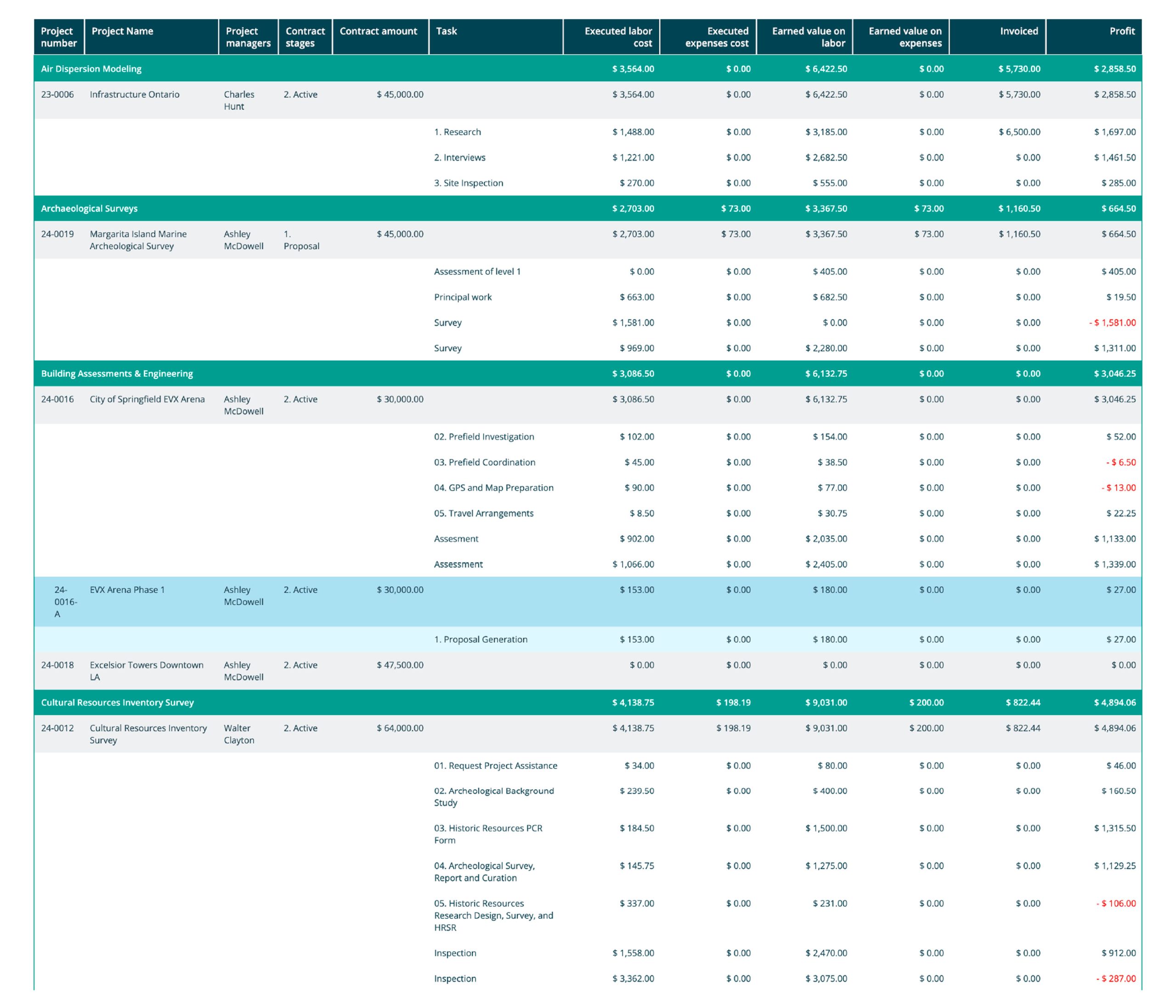
Task-level financial insights with the Project Financials report
The updated Project Financials report provides a breakdown of financial data at the task level. This allows project managers to monitor costs, track billing, and assess financial progress with higher precision. It is designed to help teams identify specific areas where a project might be deviating from the budget, supporting more accurate planning and forecasting.
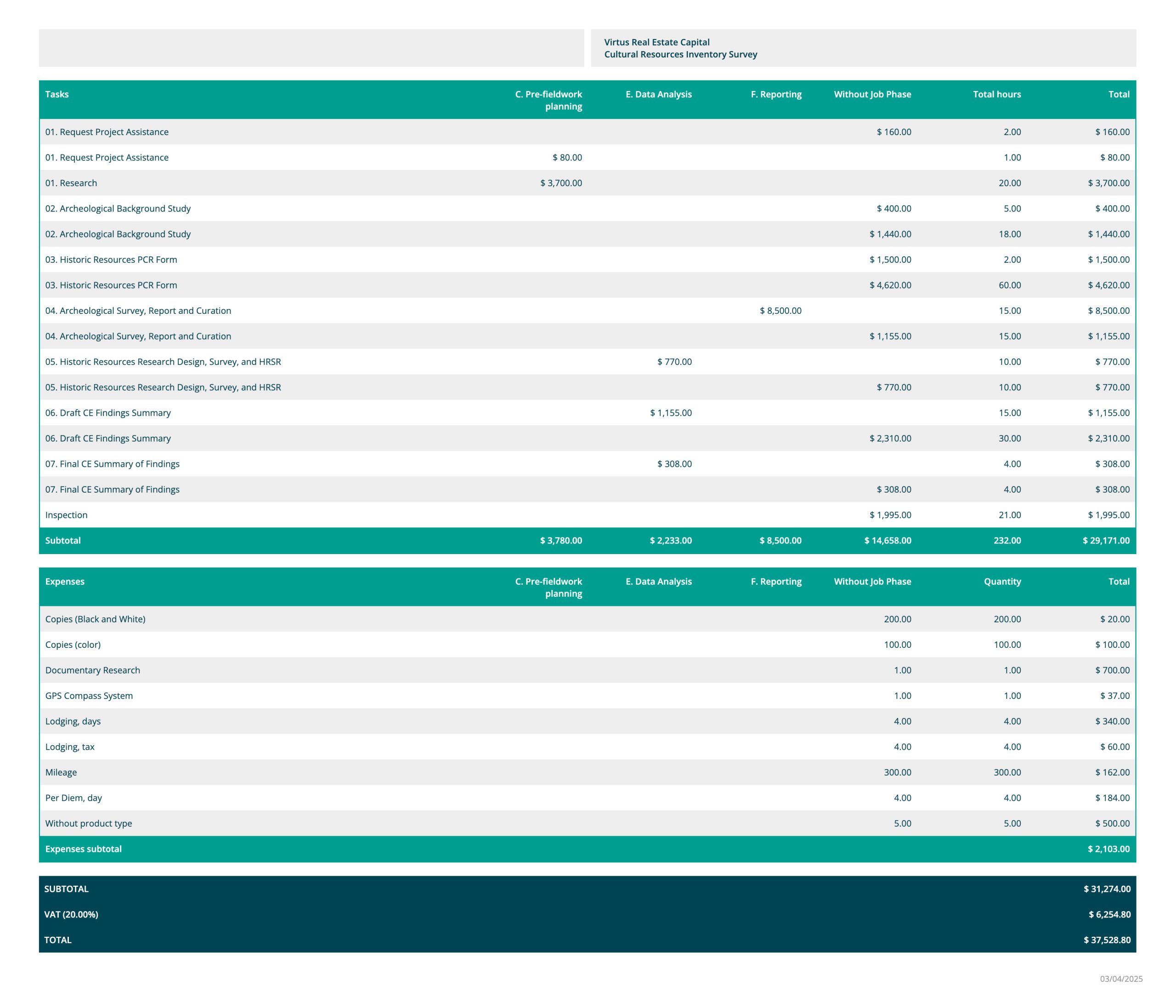
Improved formatting for Project Price Quote report printing
The Project Price Quote report has received a formatting update. The goal was to provide a more polished and clearer presentation of estimates and project costs, ensuring that external documents look professional when shared with clients or partners.
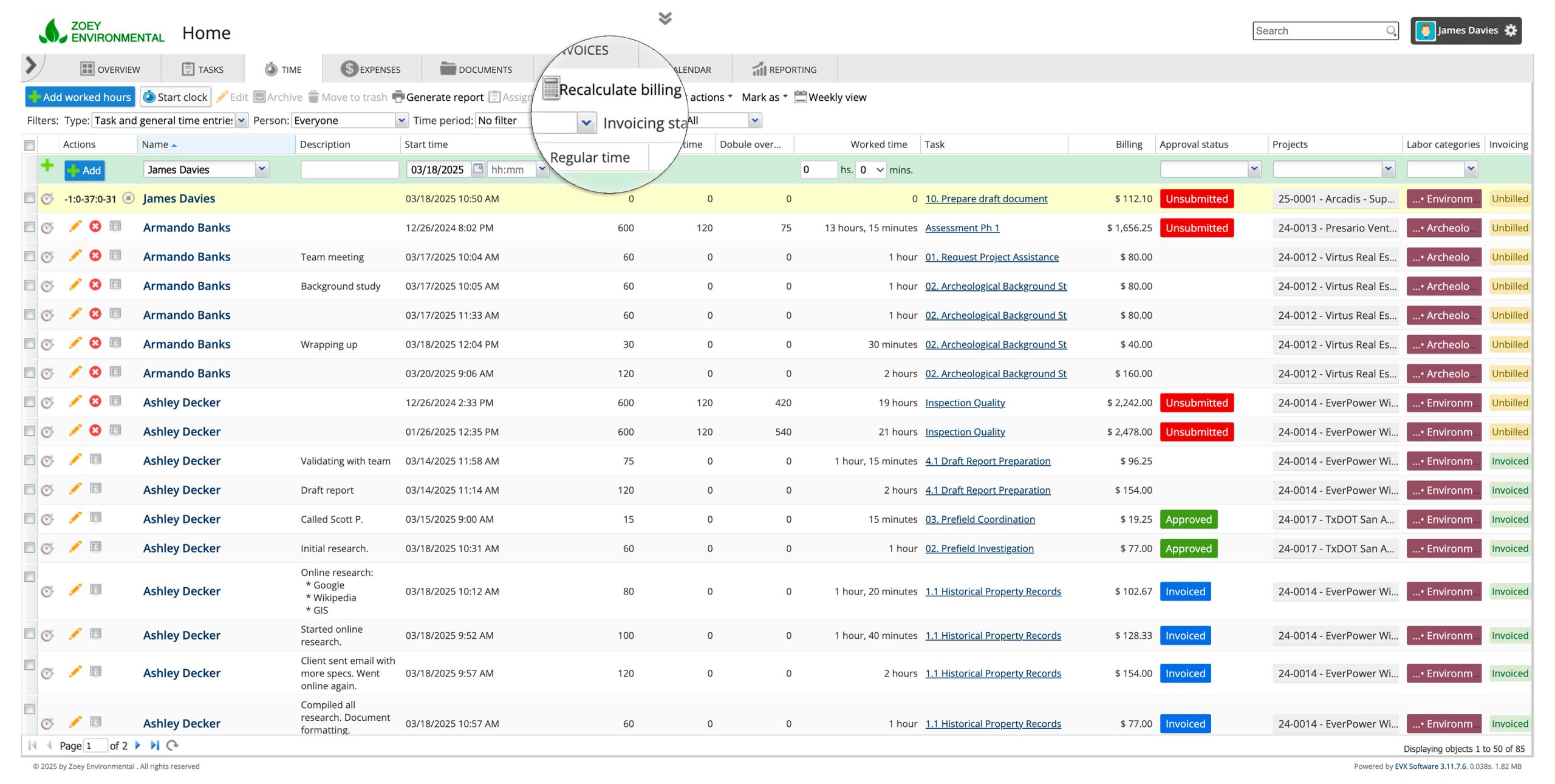
‘Recalculate Billing’ button
The ‘Recalculate Billing’ button allows users to refresh billing calculations based on the latest tasks and time entries. This ensures that labor-related adjustments are accurately reflected in the system while minimizing the risk of accidentally overwriting existing data.
Enhanced invoice customization and automation
Invoicing workflows are now more adaptable. Users can choose any property to display in the invoice header, making it easier to tailor documents to specific client needs. Additionally:
- Users can now toggle subtotals for individual invoice sections on or off.
- Automated invoice generation now supports admin fees and discounts, ensuring accurate financial adjustments are applied without manual intervention.
Greater control over QuickBooks synchronization
We have added more precision to how data moves between Feng Office and QuickBooks Online (QBO):
- Users can selectively exclude specific items, such as certain time entries, invoices, expenses, or payments, from the sync process.
- If a synchronized object is edited in Feng Office, it is automatically marked as “Not Synchronized” until it is re-sent to QBO, ensuring that the accounting system only reflects the most recent data.
Sage 50 integration: New features and expanded functionality
Building on the initial Sage 50 integration, we have added support for expense exports. This streamlines data transfer and reduces manual input.
- Users can now define a specific date range for invoice exports.
- Tax and discount calculations are now fully supported, ensuring that the financial details in Sage 50 match the source data in Feng Office.
Key enhancements for reporting, project management, and templates
Several operational improvements have been included to improve daily efficiency:
- Custom Reports: Users can now include the “Remaining Time” value in custom reports, which is useful for creating overrun reports to identify tasks exceeding their allocated hours.
- Automated Project Numbering: A new feature automates the numbering of projects to ensure consistency and reduce manual entry.
- Template Usability: Users can customize the display order of parameters in templates. The template list and the tasks within it are now sorted alphabetically for easier navigation.
Ready to explore these new features?