
Feng Office Product News
Version 3.11.13
Transparency in billing, project tracking, and financial control
Feng Office version 3.11.13 focuses on day-to-day clarity across billing, project progression, and task management. These updates reduce the effort spent validating information and correcting issues late in the billing cycle, making the system more reliable for general project management.
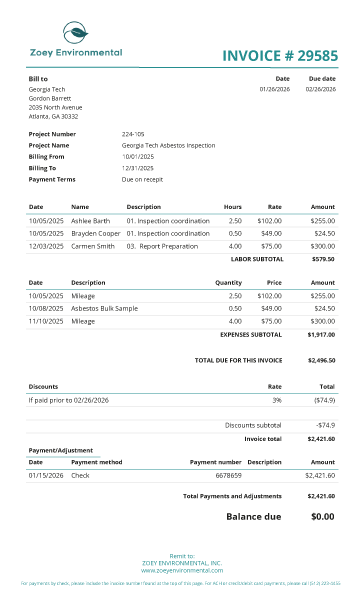
Payment summaries inside invoices
Invoice templates can now display a payment summary and balance due directly on the document. This shows applied payments, adjustments, and discounts. It allows for clearer communication with clients regarding what has been paid and what remains outstanding.
New report: Contract stage changes
This new report records exactly when a project moves from one stage to another (e.g., from “Draft” to “Active”). This visibility helps teams understand project flow over time without relying on manual notes, supporting better internal coordination.
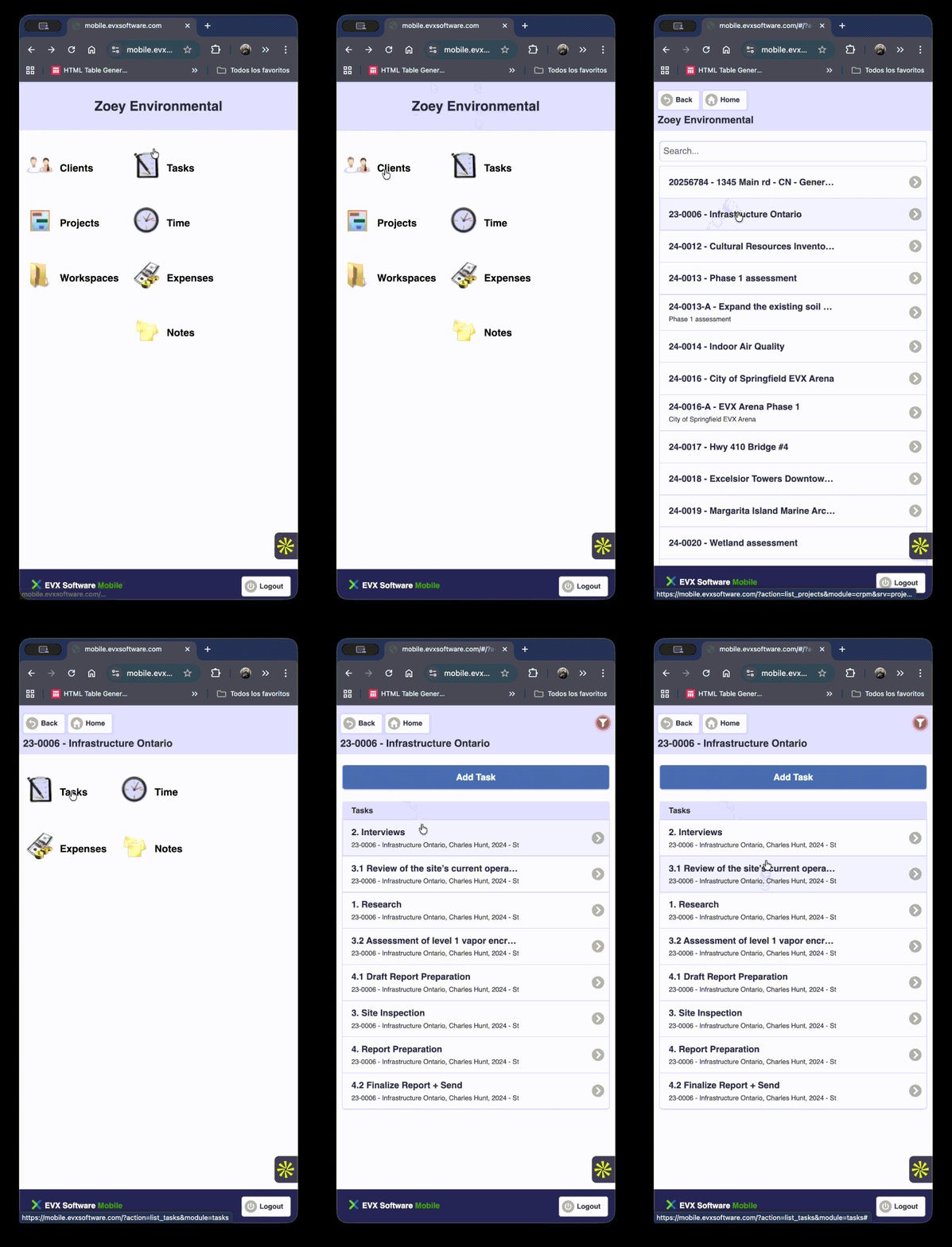
Task filtering in the mobile app
The mobile app now allows users to filter their task list by a specific project. This helps team members stay focused on the work relevant to their current location or assignment without being overwhelmed by their entire task list.
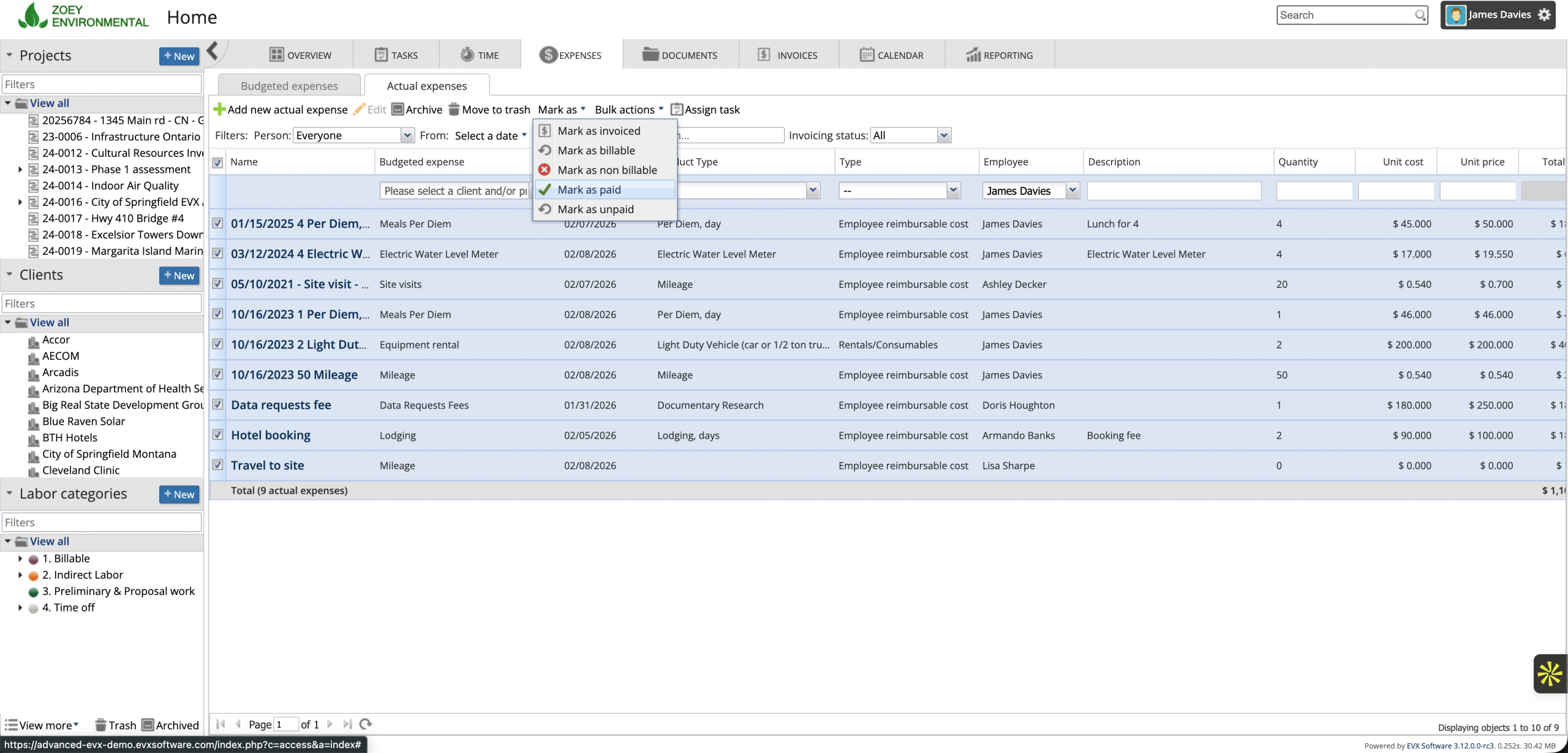
Batch marking expenses as paid
Authorized users can now update the payment status of multiple expenses at once. This speeds up routine financial tasks while maintaining strict permission controls.
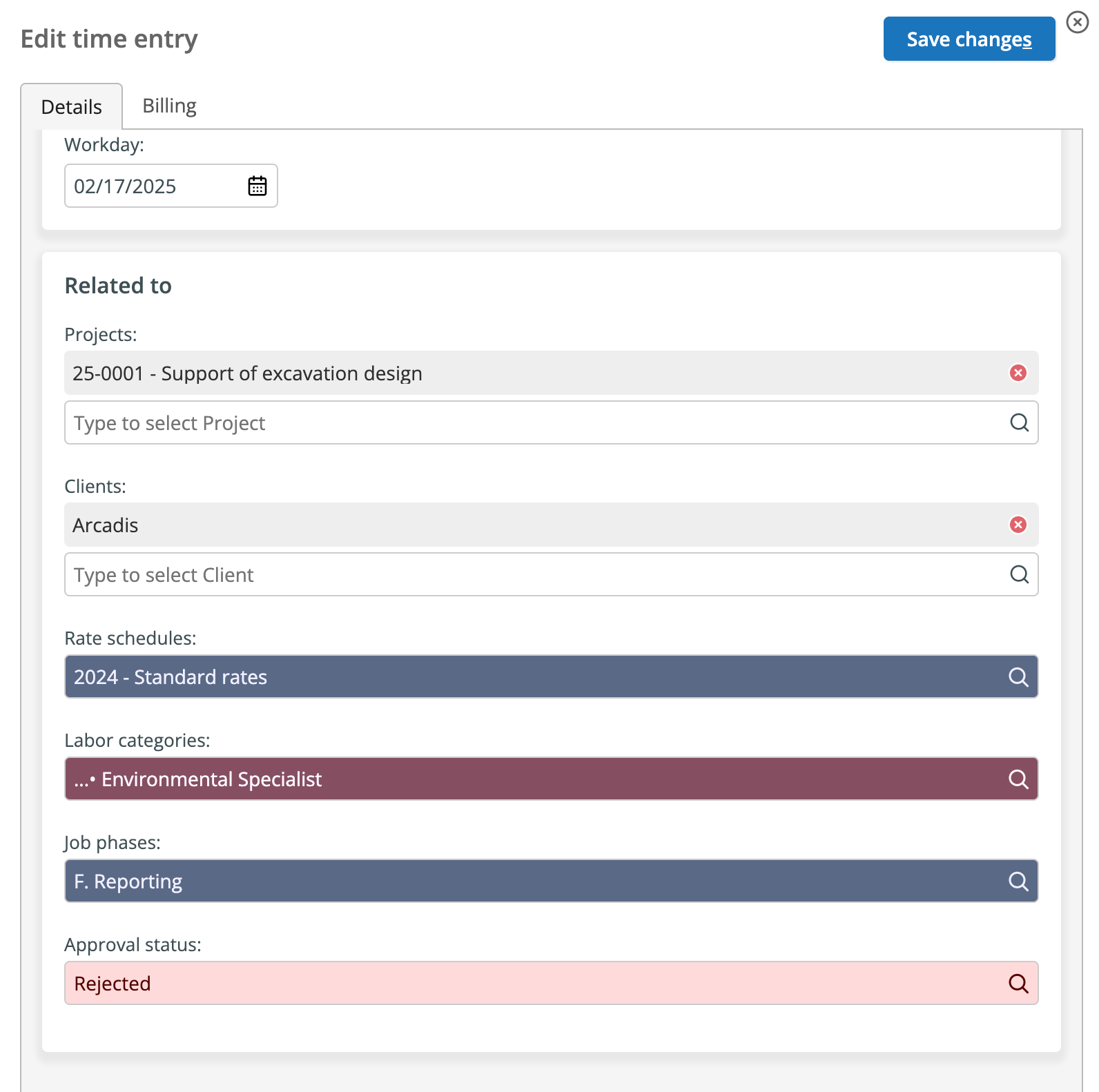
Notifications for rejected time entries
When a time entry is rejected during the review process, the system now notifies the relevant user immediately. This allows for prompt corrections and reduces last-minute stress during the invoicing period.
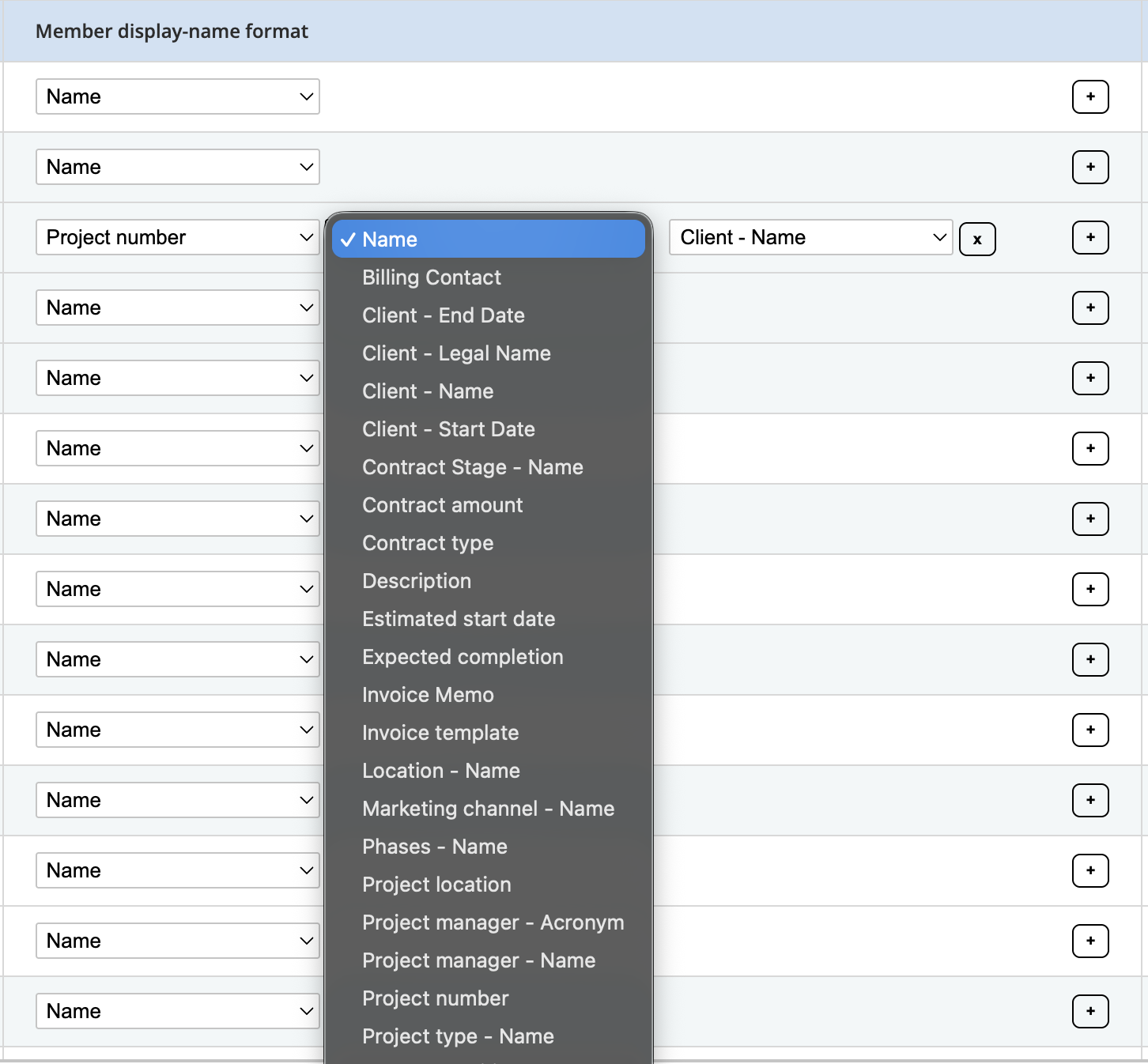
Custom display rules for names
Administrators can now define how project and client names appear in the navigation panel (e.g., combining a project number with a short name). This helps maintain consistent naming conventions as your workspace grows.
New values in custom reports
Custom project reports now include values for unbilled expenses, unbilled time, and total unbilled amounts. This provides a precise view of work completed but not yet invoiced.
SharePoint integration and budget overruns
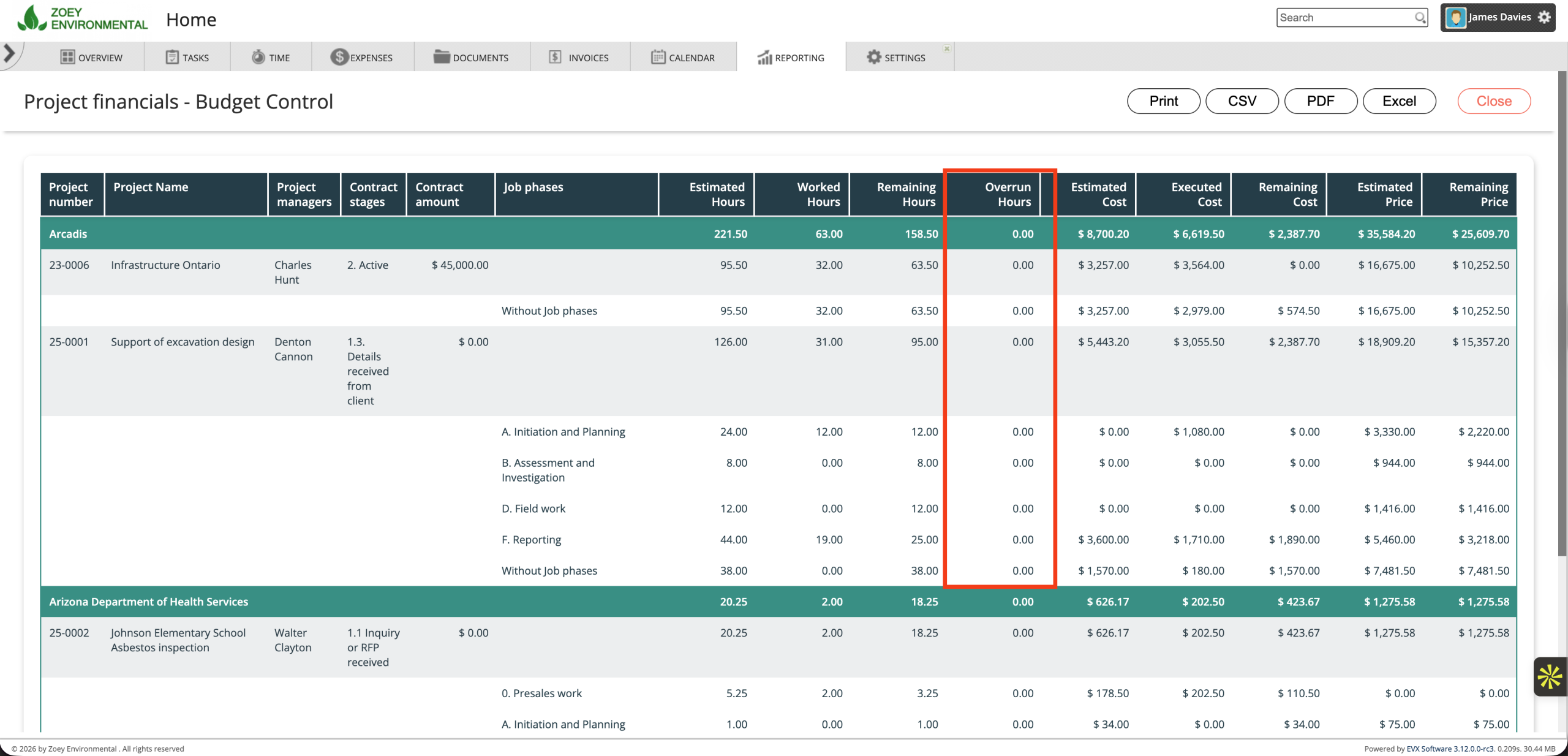
We have updated the SharePoint integration to ensure continued compatibility with Microsoft’s latest standards. Additionally, Budget Control reports now include “overrun hours,” showing exactly where actual time spent has exceeded the original estimate.
Overrun hours in the budget control report
The “Project Financials – Budget Control” report now includes overrun hours, showing where actual time spent exceeds the original estimate. This information is presented alongside existing budget data, providing a clearer view of effort against plan.
With this added context, project managers can identify trends earlier and respond while there is still time to adjust scope, resources, or expectations. This applies to both Time and Materials and Fixed Fee projects, where visibility into effort directly affects outcomes.
Ready to upgrade?