
In Version 4, editing a task field no longer means opening the full task. Click directly on the field you need to change, update it, and move on. Inline editing in the tasks module makes daily project management noticeably faster.
Edit tasks faster,
without opening them
Edit in place
Fewer clicks
Faster updates
Stay in list
Daily efficiency
Inline editing in Version 4 removes the extra steps between spotting something that needs updating and actually updating it
In Feng Office, the tasks module is where most of the daily work happens. It’s where your team tracks what needs to get done, who’s doing it, when it’s due, and what phase it belongs to. When that module is slow to navigate, the friction builds up fast, not in one big moment, but in dozens of small ones throughout the day. An extra click here, an unnecessary screen load there, and before long, your team is spending real time on things that should take seconds.
Version 4 of Feng Office addresses one of the most common sources of that friction: editing a task field.
What inline editing does
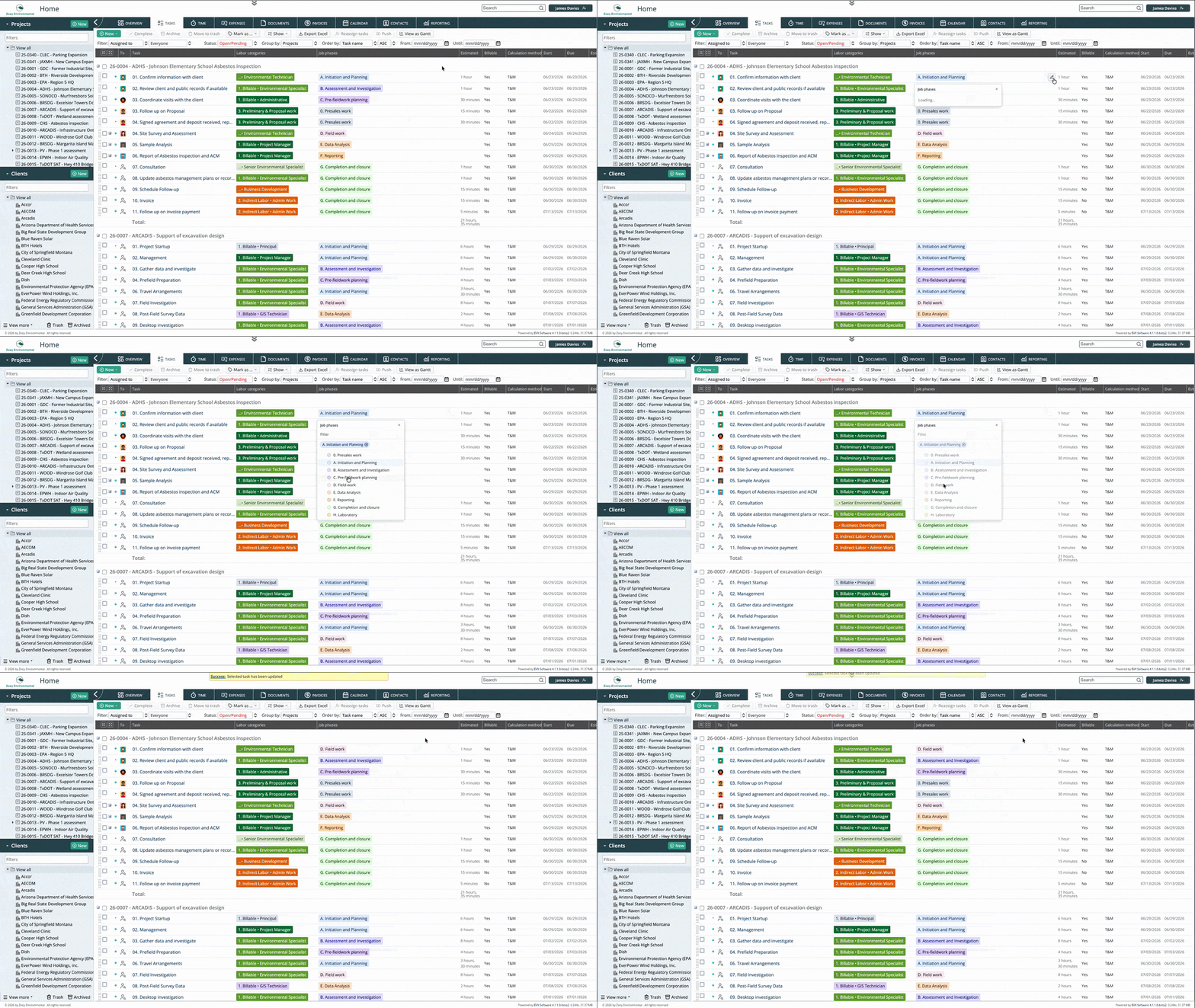
With inline editing in Version 4, you click directly on the field you want to change, right from the task list. The field becomes editable in place, you make the update, and you’re done. No opening the task, no navigating to an edit mode, no extra steps.
This applies to the fields your team interacts with most during daily operations: task names, due dates, phases, and other key properties visible in the task list. The change happens where you’re already looking, without losing your place in the list.
Why this matters in practice
Faster project reviews
When a project manager reviews the task list at the start or end of a day, they’re often making small adjustments as they go. A deadline moves, a phase gets updated, a task gets reassigned. With inline editing, those adjustments happen in the same view they’re already working in. The review doesn’t stop every time something needs changing.
Less interruption for the team
For team members updating their own tasks, the difference is equally noticeable. Logging progress or adjusting a due date no longer means navigating into the full task record and back out again. It’s a click, a change, and done. That reduction in friction, small as it sounds, makes the system easier to keep up to date, which means the data in Feng Office stays more accurate over time.
Fewer accidental changes
Because inline editing is field-specific, you’re only touching the field you clicked on. There’s no risk of inadvertently editing other fields while navigating through a full task form to reach the one you need.
Where does inline editing apply?
Inline editing is available in the tasks module, which is the core of daily operations in Feng Office. This is intentional. The tasks module is where your team spends the most time and where the efficiency gains from reducing clicks are most felt. Fields like task name, due date, and phase can all be edited directly from the task list view without opening the task record.
In short
Inline editing in Version 4 removes the steps that used to stand between noticing something that needs updating and actually updating it. Click the field, make the change, move on. For teams managing complex projects with a large number of tasks, that simplicity has a real effect on how the day flows.
Book a private tour
See inline editing in action, not in a screenshot
There’s a difference between reading about fewer clicks and actually feeling how it changes the pace of working through a task list. You tell us how your team manages tasks day to day, and we’ll show you exactly how inline editing fits into that workflow.
- See inline editing in the tasks module live, on a real project view
- Walk through the fields your team updates most, and how Version 4 handles them
- Ask anything about the transition from the previous task editing process
- Get a clear sense of how the change affects daily operations before you commit to anything
About Feng Office
Built for the way project-based firms actually operate
Feng Office is not a generic project management tool with a few extra fields. It is a business management platform built specifically for project-based firms, where projects are complex, billing structures vary, and the people doing the work are often the same people managing it.
We are software experts, not project delivery professionals. Our job is to understand the operational reality of running a project-based firm and build tools that clear the administrative path, so your team can stay focused on the work that actually matters.
100%
Human support during implementation and beyond
1
Platform for projects, billing, invoicing, and reporting
PBF
Built exclusively for project-based firms
4.0
The most complete version we have ever shipped
⚙
Everything connected
Tasks, time entries, expenses, billing, and financial reporting live in one place. Nothing gets lost between the project and the invoice.
◎
Built for complexity
Multiple service lines, variable billing structures, work that doesn't fit a generic template. Feng Office was designed around that reality, not adapted to it.
↗
Visibility at every stage
You stop finding out a project is over budget after the invoice goes out. The reporting module shows where each project stands on budget, schedule, and billing at any point.
◈
Support that walks with you
Implementation is not a handoff. Our support is 100% human, and we are present during setup, onboarding, and every step after that.
⊞
One platform, not three systems
Data in one place, invoices in another, reports in a third. Feng Office replaces that with a single working environment where everything connects.